
Feature
Scale Your Team, Not Your Workload
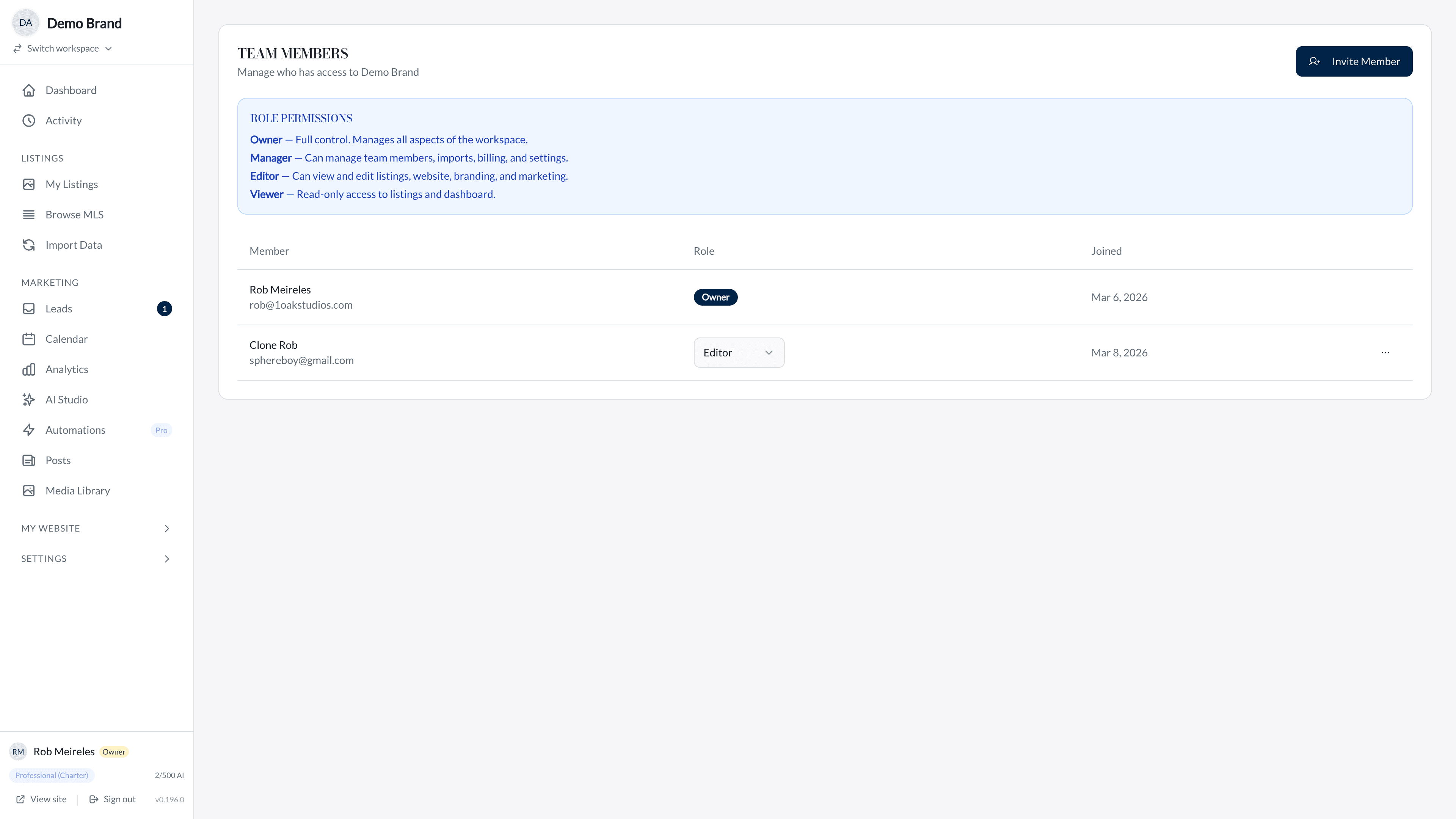
Import team members by MLS ID, control which listings appear publicly, and layer your team brand alongside your brokerage. Built for teams that are growing fast and need to stay organized.
Benefits
Why you’ll love it
MLS-Based Team Import
Add team members using their MLS IDs. Agent names are resolved automatically from MLS data, so your roster stays accurate without manual data entry.
Listing Visibility Controls
Choose whether team listings appear on your public site. Control whether individual listing agents are displayed or if listings are presented under the team brand.
Team Branding
Layer your team logo and identity alongside your brokerage branding. The visual hierarchy puts your team first while maintaining brokerage compliance.
Agent Name Resolution
Team member names are automatically resolved from MLS records. When your team roster changes, your site reflects the updates without manual intervention.
How It Works
Get started in minutes
Add Team Members
Enter your team members MLS IDs. The system looks up each agent in the MLS data and imports their name and association automatically.
Configure Visibility
Decide whether team listings appear on your public site and whether individual agent names are shown. Set the rules that match your team structure.
Brand Your Team
Upload your team logo and configure the visual hierarchy. Your team identity sits prominently while your brokerage logo remains visible at a secondary level.
FAQ
Frequently Asked Questions
Team members are added by their MLS agent IDs. The system resolves their full names from MLS data. This ensures accuracy and keeps your roster in sync with MLS records.
Yes. The showListingAgent setting controls whether individual agent names appear on listing cards. You can present all listings under the team brand instead.
Your team logo displays at full prominence while the brokerage logo appears at a reduced size with subtle opacity. This creates a clear visual hierarchy: team first, brokerage second.
Each workspace is an independent site. Team members who want their own presence can have separate workspaces while still being listed as team members on your site.
Remove their MLS ID from your team roster. Their listings will no longer appear under your team import, and your site updates on the next sync cycle.
Explore More
Related Features
MLS Integration
Direct MLS integration via Bridge Interactive keeps every listing accurate and up to date. No manual entry, no stale data, no missed opportunities.
Custom Branding
Define your brand palette, choose your typography, upload logo variants for light and dark mode, and fine-tune every visual detail. Your site should look like you built it from scratch.
Analytics
Page views with bot detection, lead source attribution, UTM tracking, and per-listing activity timelines. Make decisions based on data, not guesses.
Explore More
See how we compare
vs kvCORE
Skip the enterprise complexity. Direct MLS sync, AI content, and luxury design templates — set up in minutes, not weeks.
vs Luxury Presence
Same luxury positioning, direct MLS integration, and AI-powered content — without the $500+/month price tag or long-term contracts.
vs Sierra Interactive
Purpose-built for luxury agents with direct Bridge Interactive MLS sync, AI content generation, and three premium design templates.
Build Your Team
See how Team Management can transform your real estate business.